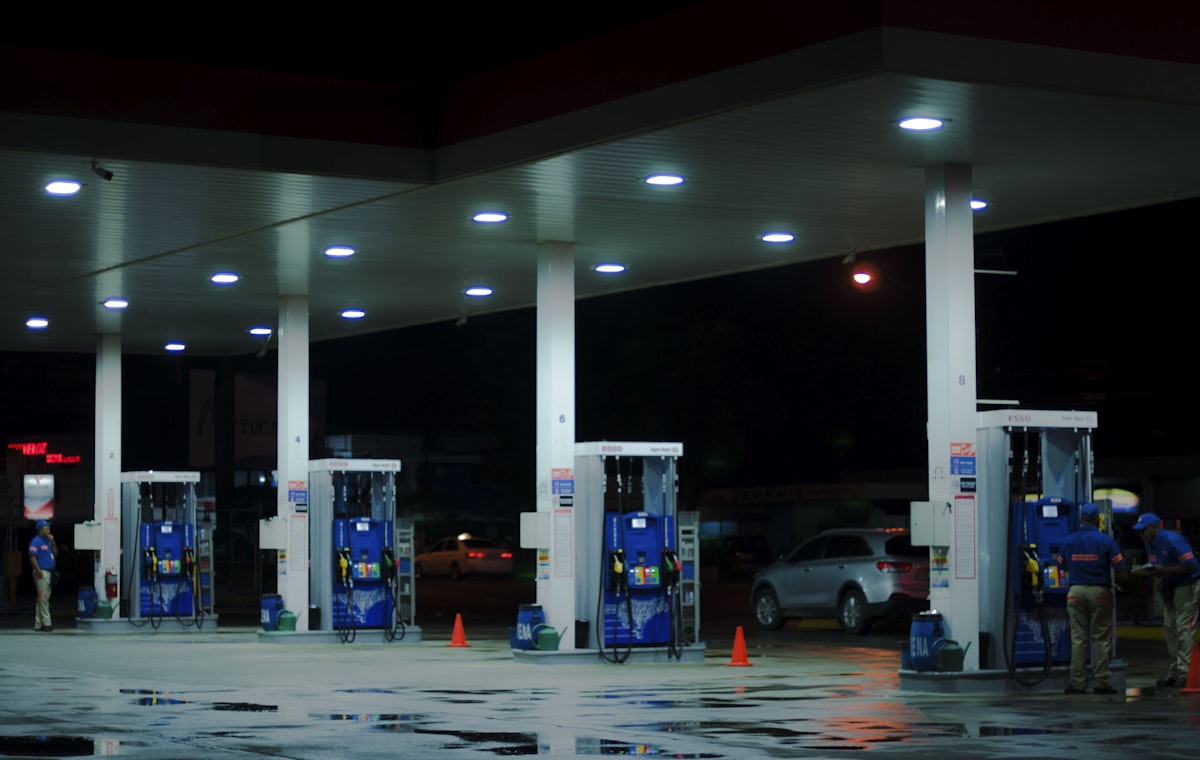
If you run five or more fuel sites, you have probably felt the limits of your software already. Prices change site by site, the loyalty app doesn't talk to the pumps, and every small change request turns into a vendor invoice. Custom gas station software is the alternative, but it is not always the right call. This article covers when building beats buying, what each path costs, and how to test before you commit.
The numbers below are typical market ranges, not quotes. Your own figures will depend on site count, hardware, and integrations.
Why Gas Station Operators Outgrow Off-the-Shelf Software
Most packaged fuel software is designed for the median single-site operator. That works until your business stops looking like the median. The same gaps show up again and again:
- Multi-site pricing. Legacy systems often push one price change to one site at a time. If you adjust pricing by location, competitor, or time of day, someone is probably doing it by hand.
- Fuel-specific workflow. A generic retail POS doesn't know about pump sync, prepay and postpay handling, attendant tracking, or flash sales on a single grade.
- Loyalty and fleet logic. Cents-per-gallon discounts, tiered fleet pricing, and consumption reporting by vehicle or driver are rules, not templates. Vendors usually give you a few fixed options.
- Compliance reporting. Fuel tax reporting, tank inspection and leak detection records, and age-restricted sales rules vary by state. If the software doesn't build them into the workflow, your staff fill the gap with spreadsheets.
None of these problems is fatal on its own. Together they mean your team spends hours each week working around the system instead of running the stores.
The Hidden Costs of Off-the-Shelf Fuel Management Software
When owners search for fuel management system cost, they usually find the license price. The license is rarely the full cost.
Licensing that scales with you
Vendors charge per pump, per site, or per transaction. Typical packaged systems run roughly $200 to $500 per site per month, though add-on modules, support tiers, and payment processing arrangements can push that higher. At 8 sites, that is about $19,000 to $48,000 a year before any extras. Growth makes the bill grow with it, and you never own anything at the end.
Integration gaps
Your forecourt system, loyalty app, fleet billing, and accounting package were probably bought separately. Each connection is either a paid connector, a nightly file export, or a person re-keying data. Those costs rarely show up on the software invoice, but they are real.
Customization limits
Ask a vendor to change how a discount calculates and you will hear one of three answers: it's on the roadmap, it costs a professional-services fee, or it can't be done. Small changes that cost a developer a day can cost you thousands, or never happen.
Lock-in
Switching forecourt software means new integrations, retraining every shift, and possibly new hardware. Vendors know this. That is why price increases at renewal are so easy to push through, and why a declining product can keep customers for years. For a broader look at that trade-off, see our page on custom software vs SaaS.
When Custom Gas Station Software Becomes Profitable
Custom software pays off when your licensing and workaround costs are high and your requirements are stable enough to design around. These are the usual triggers:
- Five or more sites with their own pricing or loyalty strategies. The more sites, the more a single custom system replaces.
- A fleet card program that needs volume discounts, per-vehicle limits, and consumption reporting that customers can actually use.
- High fuel transaction volume. If you process roughly 10,000 or more fuel transactions a month and pay per transaction, those fees compound quietly.
- Compliance needs specific to your state or region that generic software handles through manual workarounds.
- A revenue-generating feature such as a loyalty program or fleet billing that you want to control and differentiate on.
If none of these apply to you, buying is probably the better answer. More on that below.
Forecourt Software Build vs Buy: A Decision Framework
Our four build-vs-buy questions apply to any business. For forecourt software build vs buy, these are the gas-station-specific versions.
- Is your workflow different enough to justify the build? A custom project typically takes about three to six months from discovery to launch. If your process is standard, that time is wasted.
- How many sites will use it? A build is mostly a fixed cost, while licensing grows per site. More sites means faster payback.
- Will you own the code or rent it? Owning changes the math. After the build, your recurring cost is hosting and maintenance, not licensing.
- Can you test before you go live? You should be able to run a working sandbox against your real pricing rules and reports before paying for production.
| Factor | Buy off-the-shelf | Build custom |
|---|---|---|
| Time to launch | Weeks | Roughly 3 to 6 months |
| Upfront cost | Low (setup and hardware) | Higher, typically tens of thousands for a multi-site operator |
| Ongoing cost | Per site, pump, or transaction, rising with growth | Hosting and maintenance, or a monthly subscription if hosted |
| Fit to your workflow | You adapt to it | It adapts to you |
| Integrations | Vendor-approved connectors only | Built around your loyalty, fleet, and accounting tools |
| Ownership | None | Full source code on the Own model |
| Best for | 1 to 2 sites, standard operations | 5+ sites, fleet or loyalty programs, special compliance needs |
Payback Scenarios: When Custom Gas Station Software Wins
These are illustrative scenarios built on assumed numbers, not client results. Swap in your own figures to see where you land.
Scenario 1: Eight sites, independent pricing
Assume you pay $350 per site per month in licensing, which is $33,600 a year across eight sites. Add a few hundred dollars a month in connector fees and about five staff hours a week re-keying prices and reports. If a custom build costs $50,000 and replaces most of that, with hosting and support at roughly $1,000 a month, your net saving is about $20,000 a year plus the labor. Payback lands in somewhere around two years, faster if the labor is real money.
Scenario 2: A fleet card program
Suppose you sell fuel to local fleets and today you invoice them from exports, apply volume discounts in a spreadsheet, and answer consumption questions by email. A fleet card platform that handles billing, discount tiers, and driver-level reporting removes that work. Payback here depends on staff time saved and on whether better reporting wins you accounts. It is usually slower than a pure licensing swap, but the benefit compounds as you add fleets.
Scenario 3: Real-time alerts and dynamic pricing
Say your current vendor sells tank-level alerts and multi-site price scheduling as premium modules, billed per site. In a custom system those features are part of the scope you specify up front. You pay once to build them instead of monthly to rent them, and you can change the rules when your pricing strategy changes.
The pattern across all three: custom wins when you are paying recurring fees for things you could own, and when your rules are specific enough that workarounds cost real time.
The Build Path: Timeline, Ownership, and Risk
A typical custom project runs about two weeks of discovery, six to twelve weeks of build, and two weeks of testing. That puts you at roughly three months to launch for a well-scoped project, longer if you add many integrations or custom hardware work.
You do not have to start from nothing. SoftProgrammer offers ready-to-customise products for this industry, which shortens the build:
- Forecourt Management System for pumps, pricing, tanks, and attendants
- C-Store POS for the shop side of the business
- Fuel Loyalty Programme for discounts, points, and member tracking
If you want a gas station POS system custom to your workflow, starting from one of these and changing what you need is usually faster and cheaper than a blank-page build. Browse the full range on the gas stations software page.
Choosing how you pay
| Model | How it works | Good fit when |
|---|---|---|
| Own | One-time fee, you receive the full source code | You want no lock-in and can maintain it internally or hire support |
| Host | Monthly subscription, SoftProgrammer runs and maintains it | You want hands-off operation and predictable monthly cost |
| Revenue Share | No upfront cost: a monthly base operational cost plus a share of the revenue the software generates | The software itself brings in revenue, such as a loyalty or fleet program, and you want to avoid upfront spend |
Revenue Share only makes sense when the software generates measurable revenue. A back-office tool that only saves money is a poor fit. Our guide to revenue share vs subscription vs outright purchase walks through the trade-offs in more detail.
Risks to plan for
- Hardware and payments. Pump controllers and payment terminals have their own certification and protocol requirements. Confirm early which hardware you will use and how the integration is handled.
- Scope creep. Write down the must-haves before the build starts and put the rest in a phase two.
- Cutover. Run old and new systems in parallel at one site before rolling out to the rest.
The Buy Path: When Off-the-Shelf Still Makes Sense
Custom is not always the answer. Buying is the better choice when:
- You have one or two locations with standard needs: pump control, a C-store POS, and basic reporting.
- Your total software budget is small, roughly under $5,000, and a custom build will not pencil out.
- You need to be running in weeks, not months.
- You are happy to change your process to match the software.
A single-site operator with ordinary workflows should buy, and a good packaged product will serve them well. The calculation changes when you add sites, loyalty, or fleet customers. If you are unsure which side you fall on, compare your current software spend over five years against a build with ongoing hosting.
How to Get Started: Test Before Committing
Whether you buy or build, use the same checklist before you sign anything:
- Ask for a working sandbox. Test it with your actual price rules, loyalty discounts, and reports for two to four weeks if you can. A demo is not a test.
- Ask about ownership directly. Can you own the source code, or are you locked into a subscription? Get the answer in writing.
- Calculate total cost of ownership over three and five years. Include licenses, integrations, hardware, staff time on workarounds, and support.
- Map your workflows first. List every manual step in pricing, shift close, fleet billing, and compliance reporting. These are your requirements.
- Talk to operators in your region. Other multi-site owners often have the same complaints, and those complaints are a ready-made feature list.
SoftProgrammer's process is built around that testing step: free AI-assisted discovery, a written proposal, a working sandbox you test before committing, then production launch.
To see rough numbers for your situation, use the quote calculator for an instant estimate. If you are still deciding between Own, Host, and Revenue Share, the engagement model guide will help you narrow it down. Either way, start with your site count and your current monthly software spend, because those two numbers decide most of the build-vs-buy question.
Frequently asked questions
How much does custom gas station software cost?
A custom build typically costs $30K–$80K for a mid-size gas station operator (5–10 sites) and takes 3–6 months. Off-the-shelf software runs $200–$500/site/month in licensing, which adds up to $12K–$60K/year. Custom pays for itself in 1–2 years if you own the code and run it yourself, or faster if you use a revenue-share model with no upfront cost.
Can I own the source code of my custom gas station software?
Yes. SoftProgrammer and many custom software vendors offer an "Own" model where you pay once and keep full source code ownership. This means no vendor lock-in, you can hire your own team to maintain it, and you're not trapped by annual licensing increases. It's the opposite of SaaS, where the vendor always controls the code.
What's the difference between hosted custom software and running it myself?
Hosted (subscription model): the vendor runs and maintains the software on their servers; you pay monthly and focus on operations. Own model: you get the code and run it on your own servers or cloud account; you pay once and handle maintenance. Many gas station operators prefer hosted for simplicity, but owned software gives you full control and can be cheaper long-term.
How do I know if my gas station needs custom software?
You likely need custom software if: (1) you have 5+ locations with different pricing or loyalty rules, (2) off-the-shelf systems don't integrate with your loyalty app, fleet billing, or accounting, (3) you're paying per-transaction or per-pump fees that grow with volume, or (4) state/regional compliance requirements aren't met by generic solutions. Start by mapping your actual workflows and asking: Can I do this better, faster, or cheaper with a tool built for me?